
From home-recorded, do-it-yourself repair videos and apprentice music sessions to clips from TV shows and pro sports games, YouTube offers every type of video content you can think of — and fans simply can't get enough of information technology. Since its launch in 2005, the free video-sharing site has accomplished a level of success that is off the charts, with more two billion monthly visitors in 2020.
Some of the content available on YouTube was filmed by professionals using loftier-tech equipment, and you certainly want to take advantage of that quality when you sit downward to do some viewing. If you want to e'er lookout man loftier-definition (HD) videos (when available), that'south easy to do with a uncomplicated adjustment to the video quality setting for playback. Let's take a expect at how yous can lookout man YouTube videos at the best quality every time y'all click play.
Access Your YouTube Account
To change your YouTube settings, you first need to sign in to your YouTube account. YouTube is a subsidiary of Google and uses Google business relationship information. If you already have a Google business relationship, yous will use that username and countersign to sign in. If you have never signed up for whatever Google services, you tin hands set up a new account in just a few minutes from the YouTube page by clicking Log In in the superlative right corner and selecting Create Account.

You lot can likewise opt to picket videos on YouTube without logging in, merely that method includes several restrictions. Yous won't be able to watch whatsoever videos that have historic period restrictions or add any of your own content on your own channel without logging in. You also tin't like or dislike videos, share your favorites with friends or subscribe to channels if you don't have an account.
In the by, users could modify the preferences for YouTube to play videos in standard definition or high definition. The site has come a long manner since those early on days and now automatically adjusts the playback speed of videos by default based on viewing conditions at the time. Factors like your current connection speed and the size of the playing screen — full-screen or smaller — all bear upon the default playing speed. Additionally, videos that were just recorded in standard definition won't ever play in loftier definition.

If you want to manually modify the video quality to play videos in Hd (if available), the procedure is unproblematic. Navigate to the video you want to watch and click the Settings icon — it looks similar a gear — on the video player. Click Quality and select the 1080-pixel HD option. If you don't meet that option on the list, and then Hard disk viewing isn't available for that detail video. On a mobile device or Television receiver, click the three vertical dots in the top right corner of the thespian to admission the settings. Keep in mind that videos may not play well in HD if the current viewing atmospheric condition — boring speeds, etc. — don't support it.
Activate Premium AV1 Video Playback
A new premium video standard known as AV1 offers as much as l% greater efficiency than previous standards, but it isn't widely available yet and requires a significant amount of computing power to play. If yous want to set your YouTube player to always play videos in AV1 HD format when it'southward available, sign in to YouTube and click the icon with your photo — if you accept one for your Google account — or your initial in the peak right corner. Select the gear-shaped icon labeled Settings from the drop-downwards listing of options.

When your account page opens, click Playback and Performance on the left sidebar menu. If your browser supports the AV1 format — some browsers don't — the main screen volition have an AV1 Settings section. Choose "Always Prefer AV1" to always play videos in AV1 Hard disk drive format. This will prompt your computer to stream this extremely high-quality video format if your computer is powerful enough and the format is available (all the same rare).
Pros and Cons of Watching Videos in Loftier Definition
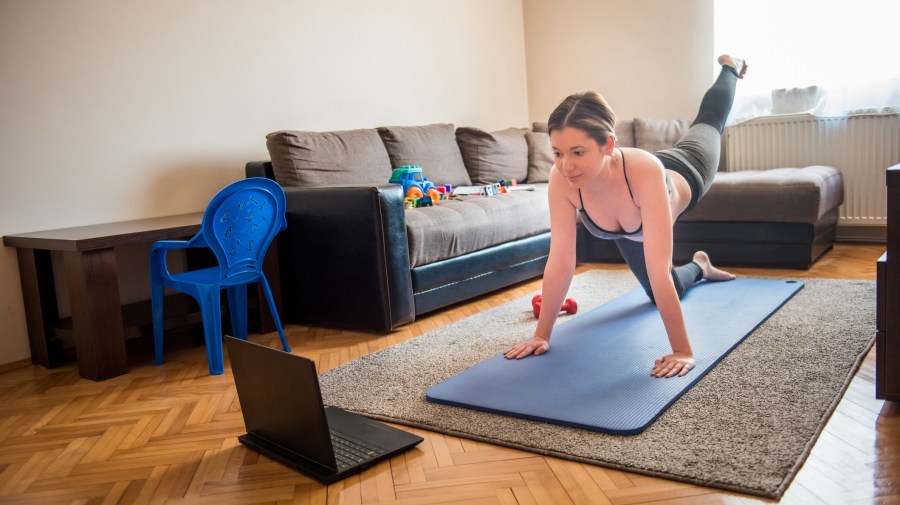
Those well-baked, clear images are usually all the inspiration y'all need to lookout man YouTube videos in HD. Later on all, no one wants to put up with the prototype graininess that goes with depression-quality video footage, especially if you're trying to follow along with an instructor on a workout video or DIY instructions for making a repair. Even when watching for fun, your viewing time is limited, and you desire information technology to be the all-time it tin can be.
However, although Hd viewing reigns supreme in terms of paradigm quality, Hd files are much larger than SD files that evangelize a lower quality viewing feel. Why does that affair? Well, the big file size associated with Hard disk drive video requires a fast net speed to avoid lag and buffering that tin can diminish the viewing experience when y'all're trying to enjoy your favorite video and music clips.
Switching Between SD and HD on YouTube
If you're continued to loftier-speed internet, y'all can probably enjoy HD videos at all times, just that may not be the case if y'all take an net data plan that limits the speed of your downloads based on size or your net connection isn't very fast, peculiarly if multiple people in your home are streaming or downloading at the aforementioned time. In those scenarios, you tin can create a residue between enjoying pristine epitome quality and enjoying smooth, lag-costless videos by switching between HD and SD videos based on your calculator'due south internet performance while yous're watching. SD won't be equally precipitous and articulate, but it can assistance you avoid those annoying lags.

DOWNLOAD HERE
Posted by: swickorythem.blogspot.com


0 Comments